Agent-X support and help center
A question should never bring your work to a halt. In Agent-X, help lives inside the app, and your requests are answered by the people who build the browser. Reach out the way you prefer – and get back to your profiles.
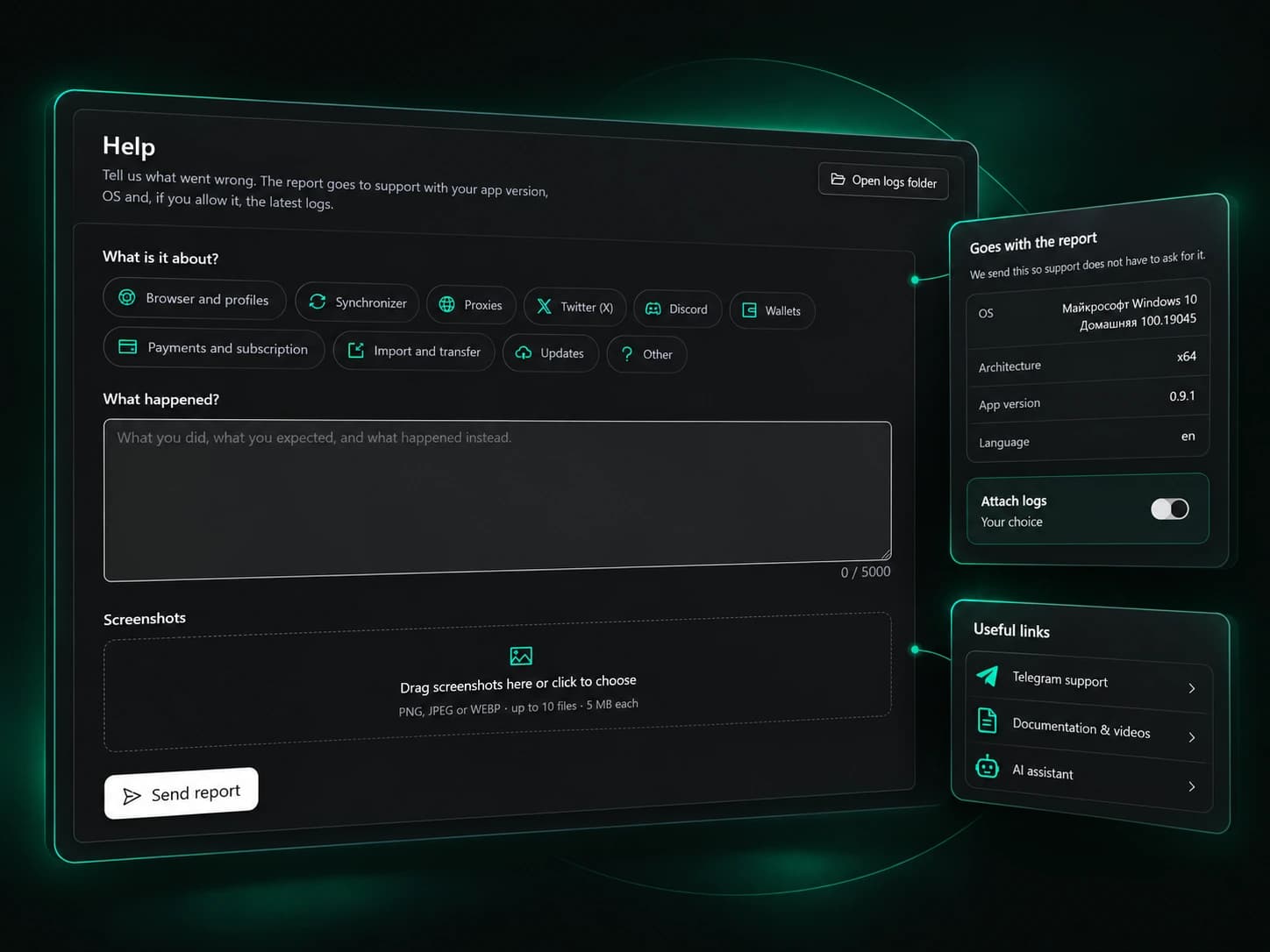
Agent-X support – help built into the product
Support for an antidetect browser is not a complaints inbox – it is what keeps you moving when something doesn’t go to plan. The usual routine looks very different: you hunt for contacts on a website, write to a generic mailbox, then explain several times which version you run and what exactly you clicked. Agent-X cuts that path down to a minimum. You open a request inside the app, the details the team needs travel with it, and for everyday questions there are guides, videos and an AI agent that knows the product.
No extra steps
The support form opens inside the browser itself – no searching for contacts, no switching between windows.
Answered by the product team
Your question is read by the people who develop Agent-X and know every feature from the inside.
A channel for your style
Ticket, Telegram, documentation or the AI agent – choose the route that fits your situation best.


Support tickets inside the antidetect browser
Describe the situation once and never come back to it with clarifications. The ticket gathers everything needed to look into it, and the reply arrives at your account email.
The right topic from the start
Profiles, proxies, wallets, payments or migration – your request lands in the right place from the first second.
Pictures instead of paragraphs
Attach a few screenshots and the team sees the problem exactly the way you see it.
Details fill themselves in
Your app version, system and language are added automatically, so there is nothing to look up.

Agent-X support in Telegram – one message away
Not in the mood for a form? Write to the team in the messenger you already use every day. It is a handy place to ask a question, add to a ticket or find out where to start.
Talk to the team
The Agent-X support chat is there on your phone or computer, even when the app is closed.
News first-hand
The public Telegram channel covers updates and new capabilities as soon as they ship.
People with the same goals
In the Discord community, Agent-X users trade experience, tips and working techniques.



Agent-X documentation and video tutorials
Some people like to figure things out on their own – and everything is ready for that. Step-by-step guides on GitBook and video tutorials on YouTube take you from the first launch to fine-tuning.
A reference for every feature
The documentation explains how each Agent-X capability works and how to tune it to your tasks.
Watch how it’s done
Video tutorials show the app in action – follow along on screen at your own pace.
Move in without losses
Dedicated guides help you bring profiles over from AdsPower or Dolphin Anty and carry on in your new home.



An AI agent that answers Agent-X questions in the app
The closest helper is always at hand – in the same window you work in. The built-in AI agent explains how a feature works and then, if you ask, takes care of it for you.
Knows the product by heart
Explains any Agent-X capability in plain language, with no digging through the help pages.
From advice to action
Checks profiles, links proxies or takes over other routine work while you focus on what matters.
You have the final say
Before a payment or a deletion the agent asks for permission, so nothing important happens without your consent.


A ticket that gets support straight to the point
The most useful request answers three questions – what you did, what you expected and what happened instead. Screenshots and logs show the rest.
A snapshot of the problem
A screenshot of the error message explains the situation better than several paragraphs of text.
Logs when something hangs
For crashes or launch problems, attach logs so the team can see what was happening under the hood.
You decide what to share
Logs are attached only when you choose, and the app tells you in advance what they contain.

When to use each support channel
A proxy stops connecting
Check the proxy, take a screenshot of the result and send a ticket in the matching category – the team sees your app version and system right away.
A question about a payment
Choose the payment category, describe the transaction and keep the request number – the reply arrives at your account email.
Moving from another browser
Start with the guide on moving profiles from AdsPower or Dolphin Anty, and if something looks off, send a ticket with logs.
A quick “how do I” question
Ask the AI agent in your working window or write in Telegram – questions like this don’t need a form.
Frequently asked questions
How do I contact Agent-X support?
Create a ticket in the app or write to the team in Telegram at t.me/AgentX_support. Both channels lead to the people who develop Agent-X.
How do support tickets work in Agent-X?
You pick a topic, describe the situation and attach screenshots or logs. Once it is sent you get a request number, and the reply arrives at your account email.
Is it safe to attach logs to a ticket?
Yes, and only if you want to. The app shows in advance what data may end up in the logs, so you always know what you are sharing.
Where can I find guides for the antidetect browser?
Agent-X documentation lives on GitBook, and video tutorials are on the Agent-X YouTube channel. Links to both are also available in the app.
Can the AI agent replace support?
It handles most everyday questions on its own – it both explains and acts for you. For anything that needs the team’s attention, tickets and Telegram are always there.
Is support included in the free plan?
Yes. Tickets, Telegram, documentation and the AI agent are available on every plan, including the free one, which gives you 5 profiles forever.
Work with confidence – help is close
Install Agent-X and see for yourself – the answer to your question is always one request away.